Clients
A status they can check.
Clients check each reference’s status in their own protected workspace instead of calling for an update.
Process service agencies
One record for every serve: who requested it, who was offered it, every attempt in the field, and the report you released.
How a serve moves
Clients submit single requests or bulk batches. Each reference in a batch is tracked on its own, so one stuck item never holds up the rest.
Operations turns the request into a work order with the jurisdiction, dispatch rules, and fees attached.
Offer the work in ranked waves to servers who meet your requirements. It cascades when an offer lapses, and you can reassign with a reason when plans change.
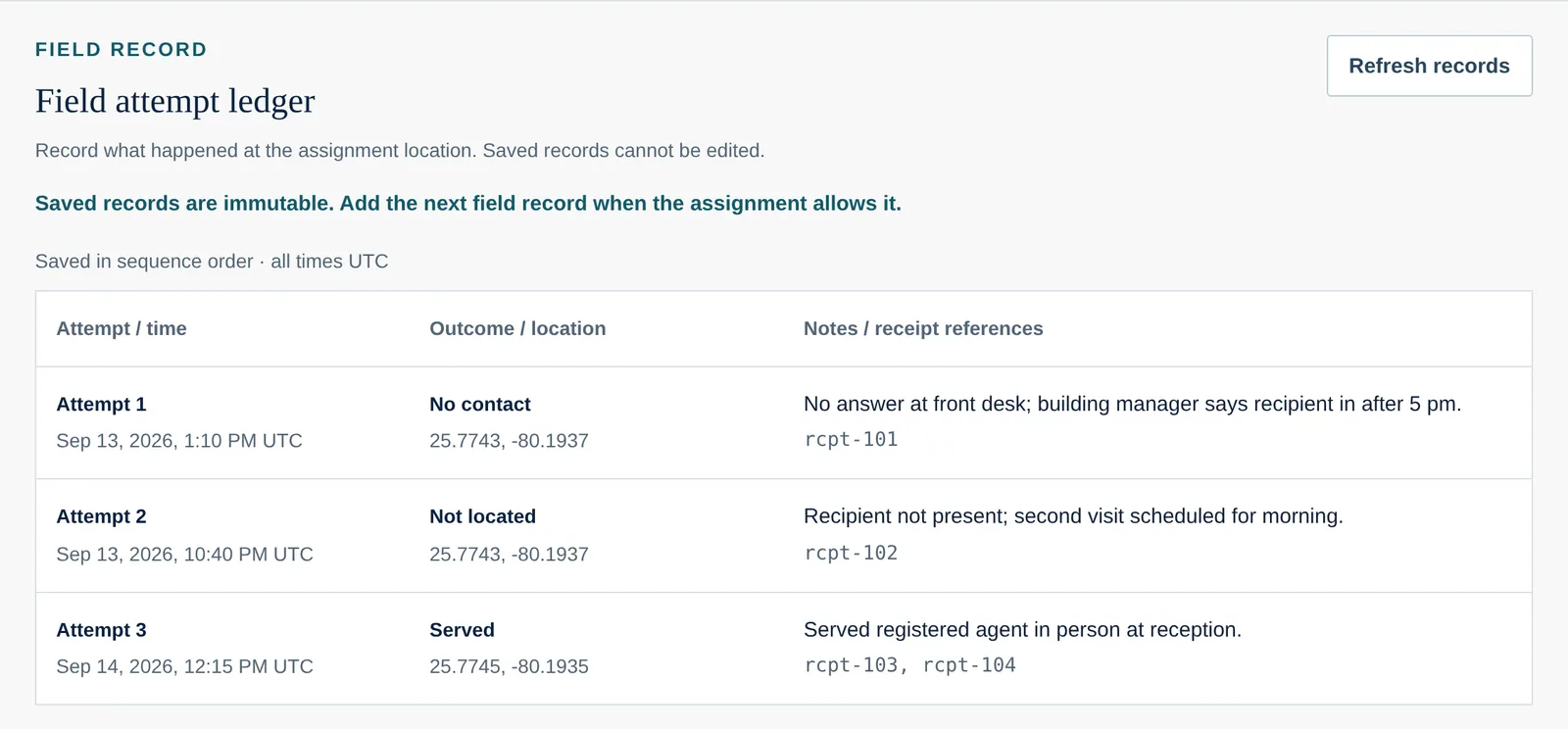
Servers record each attempt against the work order from their own workspace, with no access to anyone else’s work.
Revise the report until it is right, then sign and release it for client review. Every version stays in the history.
What changes for your team
Clients
Clients check each reference’s status in their own protected workspace instead of calling for an update.
Operations
Every work order shows where it stands and what the person looking at it can do next.
Providers
Servers see the offers sent to them and the work they claimed — nothing from other providers or other clients.
Private preview
We’ll show you how your serves would move through Field Confirm, using sample records shaped like your own work.